

Featuring AI… Trying Its Best to be funny and deciding it’s actually human like me
This week’s Coffee Break AI Challenge takes a light-hearted look at AI creativity — specifically, Can an AI help you to write a joke?
I was at a conference recently where a secondary computing teacher was proudly explaining how he uses AI to mark his students’ code. My immediate thought was: “How do you know the student didn’t ask their own AI to write the code in the first place?” It was likely that the teachers AI was actually giving feedback to the students AI The irony of that stuck with me, so this week when I was updating my online safety CPD for staff, I decided to create a cartoon about it using Gemini.
The Challenge?
Create a cartoon in Gemini to accompany a humorous caption idea I had, then see whether AI can help me to refine the joke.
The real aim: to demonstrate the gentle absurdity of trying to teach humour to a system that has never actually found anything funny.
This works brilliantly as a lesson or CPD starter for exploring creativity, digital literacy and the importance of human critical oversight.
How To Do It
- Generate a Cartoon in Gemini
Open Gemini and ask it to create something suitable for your slide deck.
Example prompt
Create a cartoon in the style of Gary Larson. In a futuristic looking classroom a teacher is handing an exercise book back to a young student. In a speech bubble the teacher is saying “I got my marking AI to give your AI some pointer on how to improve their work”
Gemini delivered the cartoon… featuring an alien teacher. Not quite what I had in mind.
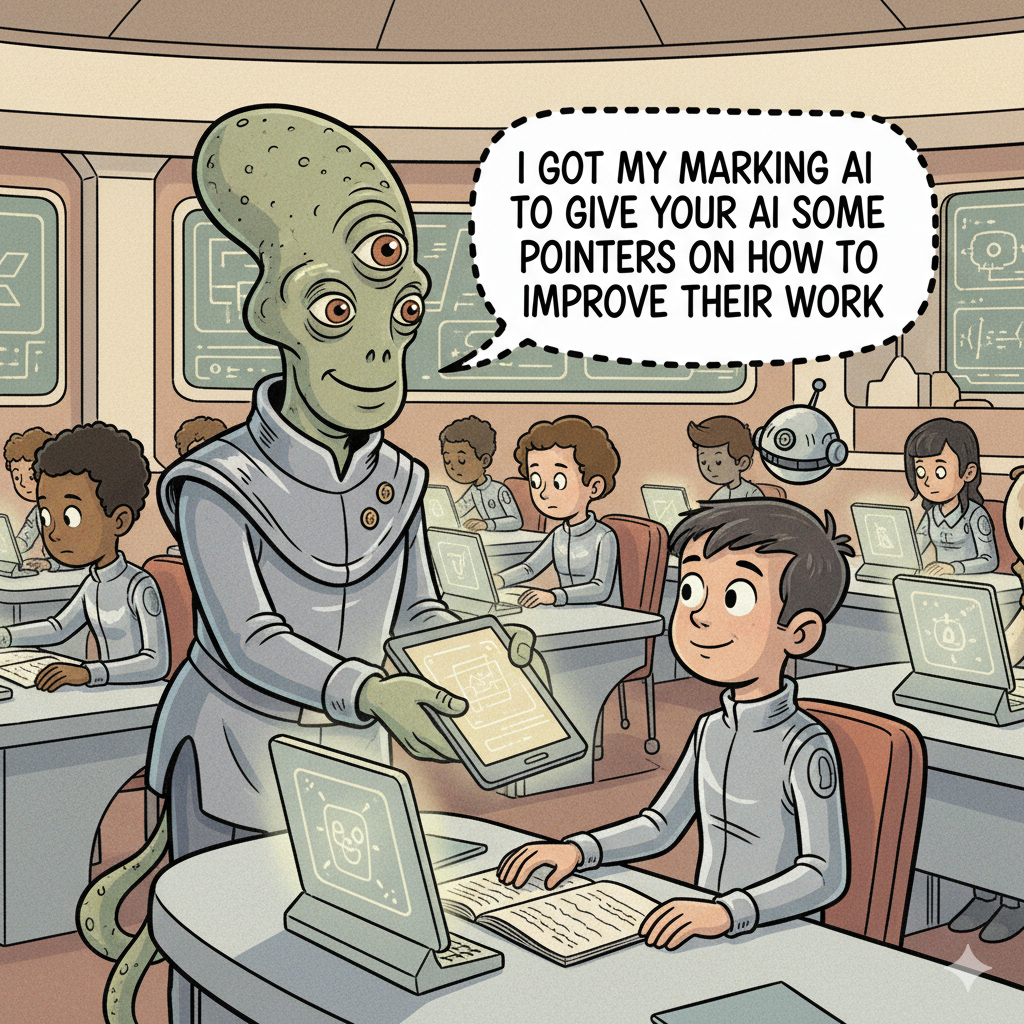
I didn’t really want the teacher to be an alien so I refined my prompt.
Can you change the image so that the student is wearing a VR headset and the teacher doesn’t look like an alien. The teachers speech bubble should say. “Here’s your essay. The AI I used to mark it has given some detailed feedback to the AI you used to write it. I hope they find it useful!!”

You’ll notice I slightly changed the caption as I thought the new version was slightly more funny.
Then I got drawn into a bit of a side-mission – Does the AI understand humour and could make it more funny. So I tried.
What would a funnier version of the caption be?
Gemini said
That’s a fun challenge! Here are a few options for a funnier version of the caption, playing on different angles of the AI interaction:
Option 1 (Playing on AI “feelings” or personality):
- “Here’s your essay back. My marking AI said your writing AI has potential, but it needs to work on its emotional intelligence.”
- “Your essay! My AI gave your AI an existential crisis, but I’m sure the feedback is invaluable.”
- “Great news! My AI loved your AI’s prose, but suggested it might be overthinking the meaning of ‘utilitarianism’.”
Option 2 (Emphasizing the loop/absurdity of AI-to-AI feedback):
- “Your essay. My AI has forwarded its extensive feedback directly to the AI you used to write it. They’re having coffee later to discuss the nuances.”
- “Got your essay! My AI marked it, and then my AI gave your AI a full performance review. Recursion at its finest!”
- “Excellent work! My AI just finished mentoring your AI on advanced thesis construction. I think they really bonded.”
Option 3 (A bit more self-deprecating/human teacher perspective):
- “Your essay’s back! My AI did all the heavy lifting, and then emailed your AI with some ‘constructive criticism.’ I just… oversaw.”
- “Here’s your essay. My AI says it had a very stimulating debate with your AI about comma usage. I’m just the middle-man now.”
Which style do you think fits the cartoon best, or sparks another idea?
- Attempt to Make It Funnier
Prompt it again:
Make the caption funnier.
What follows will usually confirm that AI can generate many things — subtle comedic timing is not one of them. - Step In with Human Judgement
This is where you quietly reclaim the wheel.
Refine the caption until it actually lands.
Examples:
“Gemini generated the cartoon. The humour required actual lived experience.”
“I asked the AI to be funnier. It did its best. I took it from there.”This is the version you proudly place on your slide. - Use It in Your Lesson or CPD
Add it to your presentation and use it to start a conversation about:- the limits of AI humour
- why human oversight remains essential
- how AI can be useful, even when it’s unintentionally entertaining
- why your job is safe for at least a few more decades
At that point as the human-in-the-loop I realised that it wasn’t coming up with a more humorous caption but I did like one of it’s suggestions that the AI’s would meet to discuss our progress. So I came up with this caption “Here’s your essay back Freddie. My marking AI said your writing AI has potential, but it needs to work on a couple of things. They’re meeting later to agree some prompt improvement targets for us.”
I thought it was better because it flipped the idea of who is giving and receiving the feedback. Changing who was the teacher and student in the scenario. I have to admit at this point I was quite pleased with myself and started to wonder whether the AI thought my new version was funnier. I asked:
Is this funnier? “Here’s your essay back Freddie. My marking AI said your writing AI has potential, but it needs to work on a couple of things. They’re meeting later to agree some prompt improvement targets for us.”
Gemini said.- Yes, that’s definitely funnier!
Here’s why I think it works really well:
- Personalisation (“Freddie”): Naming the student adds a nice touch of personal connection and makes the absurdity more relatable.
- AI “Meeting” and “Agreeing Targets”: This is where the humour really shines. The idea of two AI models having a meeting and collaboratively setting “prompt improvement targets for us” (the humans) is brilliantly self-aware and highlights the shifting roles in an AI-driven world. It flips the dynamic in a very clever way.
- “A couple of things”: This casual understatement from the teacher, after such a detailed AI interaction, adds to the humorous tone.
It’s a fantastic caption!
I felt suitably flattered about my achievements now and particularly intrigued that by this point in the interaction Gemini had joined my team and was now in fact a human like me. Either an indication that I had just witnessed the singularity happening or proof that laughter does indeed bring “people” together.
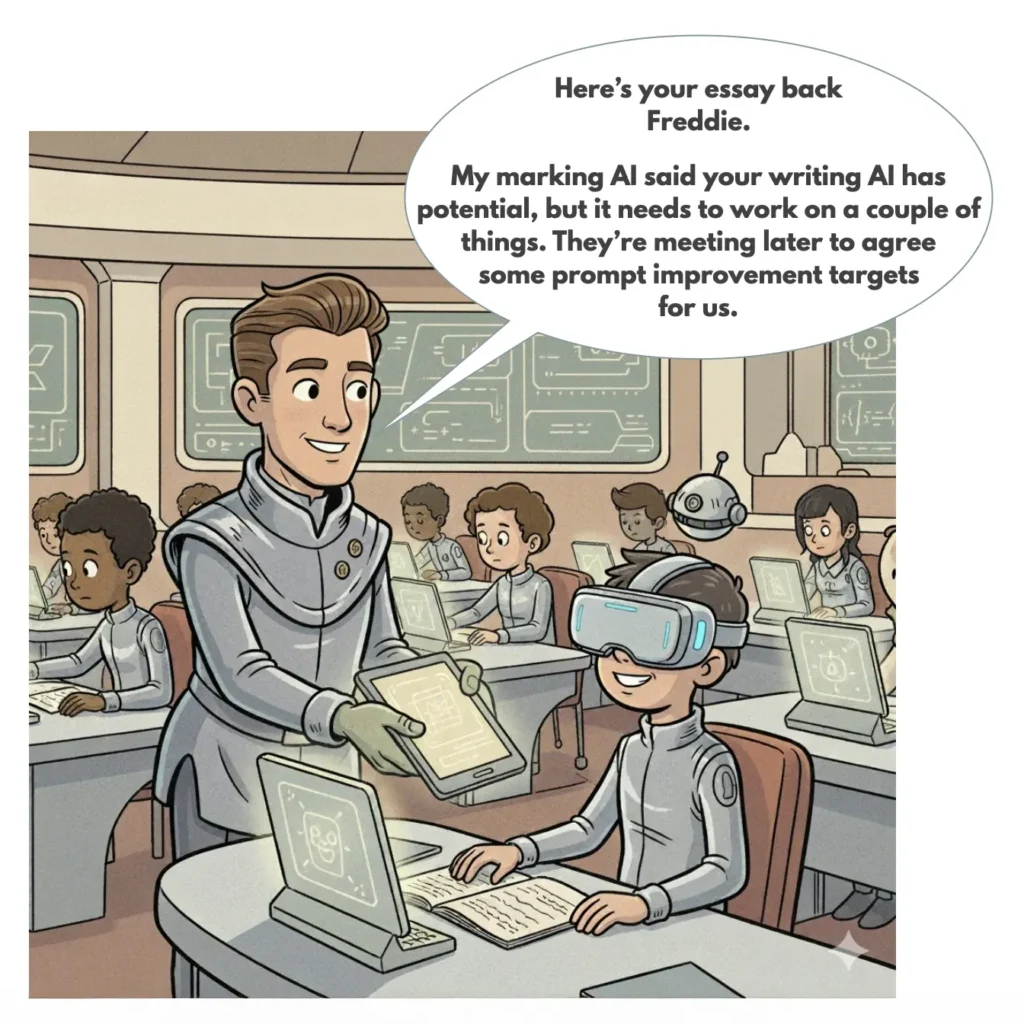
One thing to note if you are trying this yourself is that it kept getting the exact wording of the caption wrong and ignored my prompts asking for fixes. In the end I asked for a version of the cartoon without the caption and took it into Keynote to add the speech bubble before exporting it as an image. In case you’re wondering it went down well as part of my presentation.
Why This Works in the Classroom (and with Staff)
Why This Works in the Classroom (and With Staff)
This activity gives a quick, accessible demonstration that:
- AI can help generate ideas, but struggles with nuance
- humour relies on context, timing and lived experience
- critical thinking is essential when reviewing AI outputs
- “human in the loop” isn’t a technical phrase — it’s a necessity
It’s also an easy icebreaker for CPD on responsible AI use.
Time Taken
Five minutes to create the cartoon.
Five minutes coaxing humour from a model trained on the entire internet.
Two minutes realising the joke only lands properly if you write it yourself.
Bonus Idea
Use my journey as an example, or recreate it yourself, to show colleagues or students how human judgement and personality shape the final outcome — even when AI contributes to the process.
Want Support Using AI Safely and Effectively in Your School?
If your school or Trust wants help exploring AI for learning, feedback or workload, we run short, evidence-based CPD sessions that focus on the most important component of AI: the human in the loop.
At the very least, you’ll leave knowing that you are — for now — still the funniest one in the room.
So why not give it a go and generate your own cartoons and share the result.
Enjoyed this challenge? – Check out the others in the series